Upload Session Material
Import Markdown, plain text, Word (.docx) or PDF notes, session recaps and NPC details, or sync the notes you choose from Obsidian.
Notes Memory gives you one trusted source for your campaign. Store lore once, then pull the right detail in seconds before and during play. Already in Obsidian? Sync your vault and keep writing there.
From the app
Browse a quick visual walkthrough. Click any screenshot to open zoom mode and inspect the details.
1 / 4
Import Markdown, plain text, Word (.docx) or PDF notes, session recaps and NPC details, or sync the notes you choose from Obsidian.
Tag and group entries by factions, arcs, and locations so retrieval stays fast.
Let Lore Keeper, Quiz Creator, NPC Creator etc... use the same shared canon.
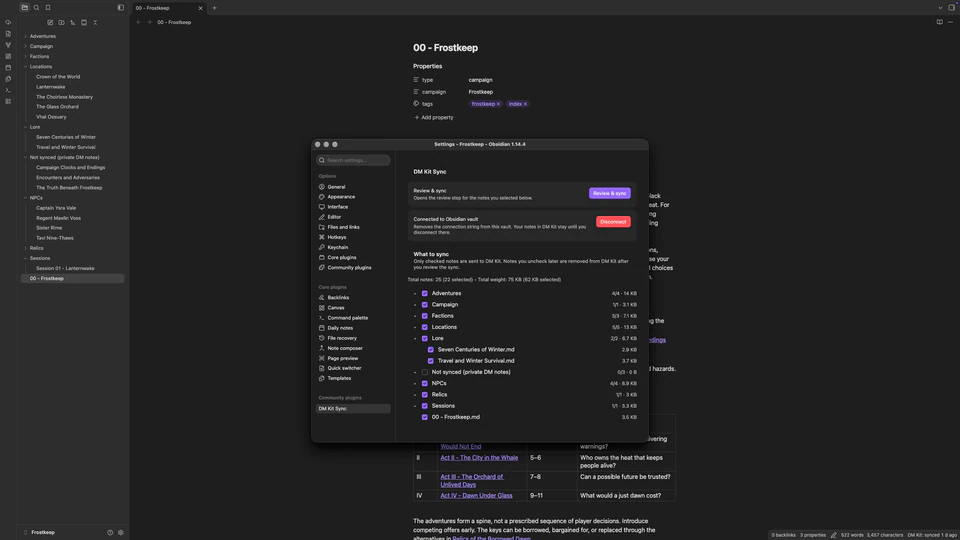
Install the free DM Kit Sync plugin and send the Markdown notes you choose to Notes Memory. Lore Keeper, Quiz Creator and every other tool then work from your own vault, with no copy and paste.
Yes. Notes Memory works as a standalone campaign wiki, then unlocks more value when connected to the rest of DM Kit.
It indexes your campaign context so you can search NPCs, lore, and timeline details instantly instead of scanning old files.
No. Campaign notes stay private by default and are not used for external model training.
Notes Memory stores text: Markdown, plain text, Word (.docx) and PDF notes, session recaps and notes saved from NPCs and statblocks. Free holds 10 MB and 500 notes, Pro holds 100 MB and 5,000 notes, and whichever limit you reach first applies. Images, maps, audio and video are not hosted, and a PDF is turned into an editable note without keeping the original file.
Yes, on Free and Pro. The DM Kit Sync plugin sends the Markdown notes you choose from Obsidian on desktop, one way and only after you review and confirm. See the Obsidian page for the full workflow and limits.
Yes, on Free and Pro. Connect Google Drive, pick the Docs you want and DM Kit syncs them right away. Press Sync now later to refresh them. DM Kit keeps a read-only copy and never changes your Drive. See the Google Drive page for the full workflow and limits.
Create a free account and run your first DM workflow today. No card needed.